Blacklink CMS for Content Teams: A Practical Workflow Guide Beyond Basic Website Building
Most discussions about Blacklink CMS focus on its speed and security features. But here's what rarely gets discussed: how content teams and publishing operations are actually using it to manage complex editorial workflows at scale.
Unlike traditional website builders that assume you're building a brochure site, Blacklink CMS has quietly become a powerhouse for teams managing consistent, high-volume content creation. The AI Content Scheduler, multi-tenant architecture, and built-in blog system create an ecosystem that's fundamentally different from WordPress or Webflow for content-first operations.
This guide explores the practical workflows that content teams are discovering—many of them non-obvious until you actually start working with the platform.
Why Content Teams Are Rethinking Their CMS Stack
Here's the uncomfortable truth: WordPress was designed for bloggers, not content operations. It excels at individual posts but struggles when you're managing 50+ pieces monthly across multiple team members, approval workflows, and publishing schedules.
Blacklink CMS approaches this differently. Because it generates static HTML, content teams experience:
- Zero server maintenance overhead – Your team focuses on content, not hosting
- Predictable performance – Content publishes at the same speed whether it's your 10th post or your 1,000th
- Built-in collaboration tools – The multi-tenant architecture means multiple team members can work on different client or brand sites simultaneously without conflicts
- Content decay detection – AI identifies stale content that needs updating, something that usually requires manual audits
But the real game-changer is the AI Content Scheduler. Let me explain why this matters differently than you might expect.
The AI Content Scheduler: Beyond Auto-Publishing
Most CMS platforms offer scheduled publishing. You write content, set a publish date, and it goes live automatically. Useful, but not revolutionary.
Blacklink's AI Content Scheduler works backwards. You define topics, keywords, and publishing frequency—then the system generates and publishes content on schedule. This is conceptually different from traditional scheduling.
Real workflow example: A B2B SaaS content team manages blogs for three client companies. Each client needs 8 posts monthly on specific topics. Instead of having content writers spend 40 hours monthly on content creation, the team now:
- Sets up the AI Content Scheduler with client topics and keyword clusters
- Configures publishing schedule (2 posts weekly per client)
- Approves generated content once—before first publish—to establish quality baseline
- AI generates and publishes consistently thereafter
- Team redirects effort to strategic content gaps and high-impact pieces
This isn't "set it and forget it." It's architecting content operations where routine volume is handled automatically, freeing human expertise for quality judgment and strategic direction.
Building Your Editorial Calendar Within Blacklink
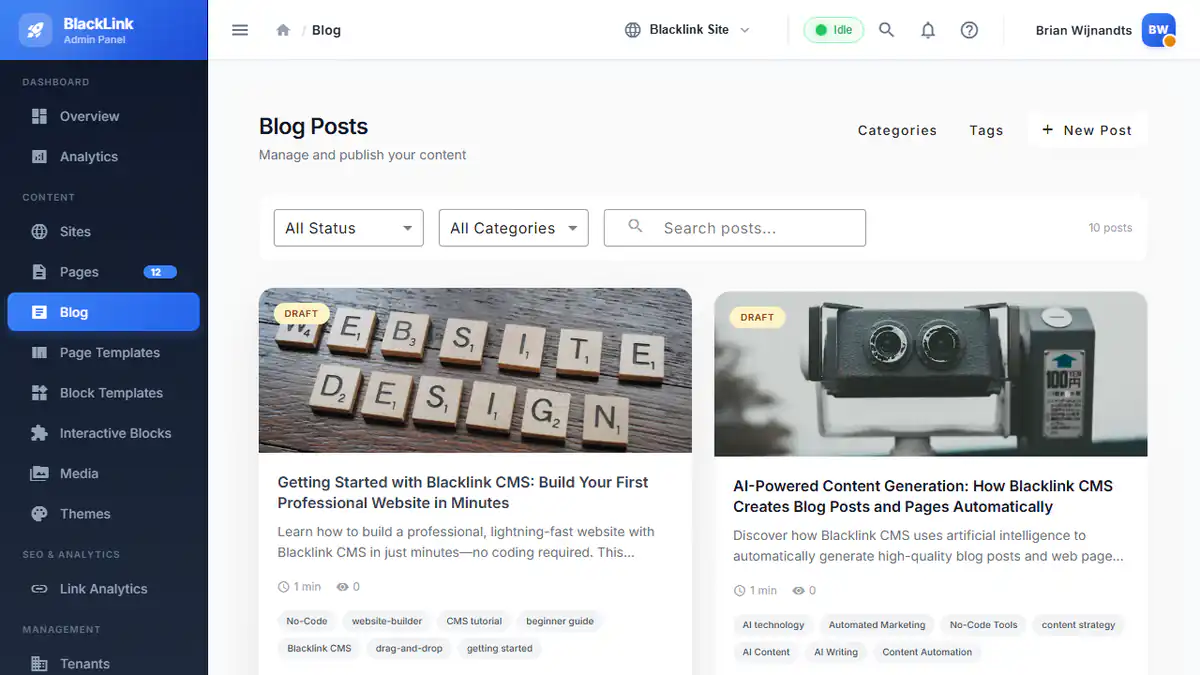
Content operations need visibility into what's publishing when. Blacklink's blog system provides the structure; your workflow provides the discipline.
Recommended editorial calendar approach:
Layer 1: Content Categories as Strategic Buckets
Use Blacklink's category system not just for organization, but as your editorial strategy. Each category represents a content pillar:
- "Product Education" (30% of content)
- "Industry Trends" (20% of content)
- "Customer Stories" (20% of content)
- "How-To Guides" (30% of content)
When you set up the AI Content Scheduler, assign it target distributions across these categories. The system respects your strategic weightings while maintaining consistency.
Layer 2: Tags for Cross-Topic Relationships
Tags in Blacklink become your tactical editorial insight tool. While categories define broad strategy, tags show relationships and topic clusters. Track:
- Seasonal content tags ("Q4-campaigns", "holiday-promotions")
- Product feature tags ("feature-new-dashboard", "api-updates")
- Audience tags ("enterprise-decision-makers", "startup-founders")
This multi-dimensional tagging creates a content graph that informs future topic generation and helps the AI scheduler understand your strategic priorities.
Layer 3: Featured Image Strategy as Brand Consistency
Blacklink integrates with Unsplash for image discovery. But here's how high-performing teams use it: establish a visual brand language (specific color palettes, photography styles, composition types) and use tags to guide image selection. When the AI generates content, images maintain brand consistency automatically.
Multi-Client Management: The Hidden Advantage
Marketing agencies face a unique challenge: managing dozens of client websites with different brand voices, audiences, and content calendars. This is where Blacklink's multi-tenant architecture becomes genuinely transformative.
Unlike WordPress where each client needs separate hosting and separate admin access (creating support nightmares), Blacklink lets you:
- Manage all client sites from one dashboard
- Set different AI Content Schedulers per client with unique voice/tone guidance
- View performance metrics across clients or in isolation
- Maintain separate brand themes and design tokens per client
- Handle client onboarding in minutes instead of hours
This architectural advantage compounds when managing content at scale. For agencies managing high-volume client projects, the workflow efficiencies become a competitive advantage that's difficult for competitors using traditional CMS platforms to match.
Quality Control in AI-Generated Content Workflows
The biggest concern content teams have about AI scheduling: quality degradation. This is legitimate. But it's solved through workflow discipline, not platform limitations.
Recommended quality control process:
Phase 1: Calibration (First 20-30 posts)
Don't immediately trust the AI to publish. Generate content, review thoroughly, and provide feedback:
- Does tone match brand voice?
- Are claims accurate and sourced appropriately?
- Are headlines SEO-optimized and compelling?
- Does content depth match your audience expectations?
Document your feedback patterns. These become training data for customizing the scheduler's prompts.
Phase 2: Refined Generation (Posts 21-100)
With calibration complete, reduce review scope to spot-checking (maybe 30% of generated posts). Focus on consistency rather than perfection. At this stage, you're validating that the AI is maintaining quality standards you've established.
Phase 3: Maintenance Mode (Post 100+)
Sample-review monthly to ensure consistency. Use Blacklink's content decay detection to identify posts that underperform and update them with fresh perspectives or new data.
This three-phase approach means quality control is front-loaded (high effort initially) but becomes sustainable long-term. You're not hiring additional writers; you're architecting a system where AI handles volume and humans handle judgment.
SEO Strategy for Scheduled Content
Static sites generated by Blacklink have inherent SEO advantages—perfect Lighthouse scores and instant page loads reduce friction for search engines. But publishing consistently through scheduling creates additional strategic opportunities.
Leverage Blacklink's built-in SEO features with this approach:
- Topic clustering: Use the AI scheduler to publish topic clusters systematically. Content on related subtopics linking to each other creates semantic structure that search engines reward
- JSON-LD structured data: Blacklink generates structured data automatically. Use it to mark content types (Article, NewsArticle, HowTo, etc.) based on content category, helping search engines understand intent
- Regular refresh cycles: Schedule content updates on key performance posts quarterly. Fresh publication dates signal to search engines that content remains relevant
- Category pages as hubs: As you build content under each category, these category pages become valuable hubs. Link strategically from new posts to category pages to distribute authority
For deeper SEO optimization strategies, explore comprehensive SEO best practices specifically designed for static websites, which maximize Blacklink's technical advantages.
Integration Points: Connecting Blacklink to Your Tech Stack
Content teams rarely work in isolation. You're likely using:
- Content planning tools (Airtable, Monday.com, Notion)
- Analytics platforms (Google Analytics, Hotjar)
- Email marketing systems (ConvertKit, Substack, Mailchimp)
- Social media schedulers (Buffer, Later, Hootsuite)
Blacklink CMS integrates strategically here. While it's not positioned as a full marketing automation platform, the static HTML output and clean API structure mean:
- Analytics integration: With zero server overhead, Blacklink sites track cleanly in Google Analytics, giving you unambiguous content performance metrics
- RSS feeds: Blacklink generates proper RSS feeds per category, automating distribution to email systems and social schedulers
- Webhook capabilities: When content publishes, trigger downstream actions in your marketing stack (email announcements, social posting, CRM updates)
The integration advantage stems from Blacklink's simplicity. It doesn't try to do everything—it does content publishing exceptionally well, then gets out of the way of your other tools.
Scaling From One Site to Many: The Agency Playbook
If you're an agency or managing multiple brands, here's the scaling strategy:
Single client site (Month 1-3): Build one site, learn Blacklink's workflow deeply, establish content and design patterns.
Two to five client sites (Month 4-6): Replicate your single-site workflow. Create template configurations for the AI Content Scheduler that you can customize per client. Document your editorial calendar approach.
Five+ client sites (Month 7+): This is where multi-tenant architecture becomes essential. You should be able to:
- Clone site configurations, customizing brand and voice parameters
- Manage all client dashboards from one interface
- Report on content performance across clients
- Reuse blocks, templates, and design tokens with client-specific customizations
Advanced content workflows for high-volume agencies reveal how to transform these mechanics into genuine competitive advantage, turning static site generation from a technical feature into a business model advantage.
Content Decay: The Underrated Workflow Feature
Blacklink's content decay detection deserves specific attention because it changes how content teams think about maintenance.
Instead of periodic content audits ("let's review all our posts quarterly"), you get AI-flagged notifications: "This post about [topic] hasn't been updated in 8 months and similar content is ranking better now."
This shifts your workflow from batch audits to continuous maintenance:
- Decay detection flags stale content
- You decide: update it (if strategic) or archive it
- Updates publish as fresh content, resetting its relevance signals
- Archiving frees you from maintaining outdated information
This is particularly valuable for news-adjacent content (industry updates, trend pieces) where freshness matters significantly for search rankings.
Best Practices for Sustainable Content Operations
1. Start conservative with AI scheduling. Don't immediately set it to publish 20 posts monthly. Begin with 4-8 and increase only after you've validated quality and established your feedback patterns.
2. Maintain a "strategic content" backlog. AI scheduling handles consistent volume. Reserve your team's writing capacity for high-impact pieces: thought leadership, original research, customer case studies.
3. Version your content prompts. As you calibrate AI output, document the prompts that work best. When onboarding new clients or brands, start with proven prompts rather than starting from zero.
4. Monitor search performance by content source. Tag AI-generated posts differently from human-written content. Track their relative performance. You might discover AI content performs better in certain categories than others.
5. Build review cycles into team capacity. If you're publishing 8 posts weekly, reserve 2-3 hours weekly for AI content review. This is less than writing that content, but more than zero.
6. Establish naming conventions for everything. Consistent category names, tag structures, and template naming across all client sites makes multi-site management exponentially easier.
The Future: Where Blacklink CMS Content Operations Are Heading
The platform is actively developing features that will deepen content team capabilities:
- Template marketplace (pre-built editorial configurations for common industries)
- Enhanced form builders (capturing reader data and feedback at scale)
- Expanded AI model options (choosing between Claude, GPT, Gemini based on content type)
- White-label solutions (agencies branding Blacklink as their own content platform)
These upcoming features signal where content operations are heading: platforms that handle the mechanical work of publishing while preserving the human judgment work of strategy and quality.
Start With Your Workflow, Not the Platform
Here's the most important takeaway: don't choose Blacklink CMS because it has these features. Choose it because your current workflow is broken in specific ways (manual scheduling, server maintenance, performance inconsistency, poor multi-client support) that Blacklink solves.
Then, once you're in the platform, discover these workflow optimizations. That's when the real advantage emerges.
The teams getting exceptional results aren't using Blacklink as a basic website builder. They're using it as the backbone of a content operation architecture that scales human expertise across multiple brands and thousands of pieces of content.
Explore Blacklink's complete feature set to see how its architecture aligns with your specific workflow challenges, or get started building your first site in 10 minutes to experience these workflows firsthand.