Blacklink CMS vs WordPress: Why Static Sites Are Eating WordPress's Lunch in 2025
WordPress built the modern web. Nearly 45% of all websites run on it. But WordPress has a problem: it's built on outdated technology that creates performance nightmares, security vulnerabilities, and endless maintenance overhead.
Enter Blacklink CMS—a fundamentally different approach to website creation that flips WordPress's entire architecture on its head.
This isn't just another WordPress competitor making incremental improvements. Blacklink represents a philosophical shift: instead of serving dynamic content from databases and servers, it generates pure HTML files that deploy anywhere. Add AI-powered content creation to that formula, and you get a platform built for how agencies actually want to work in 2025.
The Architecture Problem Nobody Talks About
WordPress does one thing well: it serves dynamic content from a database. Every page request triggers server-side processing, database queries, and PHP execution. This architecture made sense in 2003. It makes less sense today.
Here's what happens with WordPress:
- Each visitor triggers server processing
- Database queries happen on every page load
- Plugins add code bloat and security attack surfaces
- Caching layers get bolted on as afterthoughts
- You're paying for server capacity you rarely use
Blacklink CMS takes the opposite approach. It pre-generates pure HTML/CSS/JavaScript files during the build process. When a visitor arrives, they're not waiting for server processing—they're getting static assets that load in milliseconds.
The performance difference isn't subtle. WordPress typically scores 34-45 on Google Lighthouse. Blacklink sites achieve perfect 100/100 scores consistently. That's not a minor improvement—that's a fundamental architectural advantage.
Security: The Invisible Cost of WordPress
WordPress gets hacked approximately 90,000 times per day. This isn't hyperbole—it's documented by security researchers. The reasons are straightforward:
- A database provides an attack surface
- Server-side processing creates vulnerability windows
- Plugin ecosystem introduces thousands of potential weak points
- Theme and plugin updates introduce regression risk
Static sites generated by Blacklink CMS eliminate the entire attack vector. There's no database to compromise. There's no server-side code to exploit. The site is pure HTML/CSS/JavaScript deployed to CDN nodes. You can't hack what doesn't execute code.
This is why enterprises increasingly prefer static HTML sites over dynamic platforms. It's not nostalgia—it's pragmatism.
The Maintenance Trap
WordPress forces you into eternal maintenance mode:
- Core updates (security patches appear weekly)
- Plugin updates (compatibility breaks constantly)
- Theme updates (design changes when you don't want them)
- PHP version compatibility management
- Database optimization and cleanup
- Backup management (you're responsible for recovery)
A WordPress site is never "done." It requires ongoing attention from developers or managed hosting services (which get expensive fast).
Blacklink CMS sites are built once and deployed everywhere. There are no updates to manage. No plugins to maintain. The entire platform is version-controlled git repositories. If something breaks, you revert to the previous commit instantly.
Here's Where AI Changes Everything
The real competitive advantage for Blacklink CMS isn't just static generation—it's AI-powered content creation integrated natively into the platform.
WordPress forces you to bolt on AI tools (plugins, external services, manual workflows). Blacklink has it built in:
- AI Content Generation: Write blog posts, landing page copy, product descriptions using Claude, GPT-4, or Google Gemini without leaving the editor
- AI Content Scheduler: Auto-generate and publish blog posts on a schedule. Your site stays fresh while you focus on strategy
- Content Decay Detection: AI identifies stale content and suggests updates automatically
- SEO Optimization: Built-in tools generate meta descriptions, heading structures, and structured data automatically
This transforms content creation from a time-consuming process into a strategic advantage. Agencies can serve more clients with the same team. Businesses can maintain consistent content calendars without hiring full-time writers.
The Block Editor Advantage
WordPress introduced the Gutenberg block editor years ago. It was marketed as revolutionary. But blocks in WordPress are still fundamentally constrained by dynamic rendering requirements and plugin ecosystem incompatibilities.
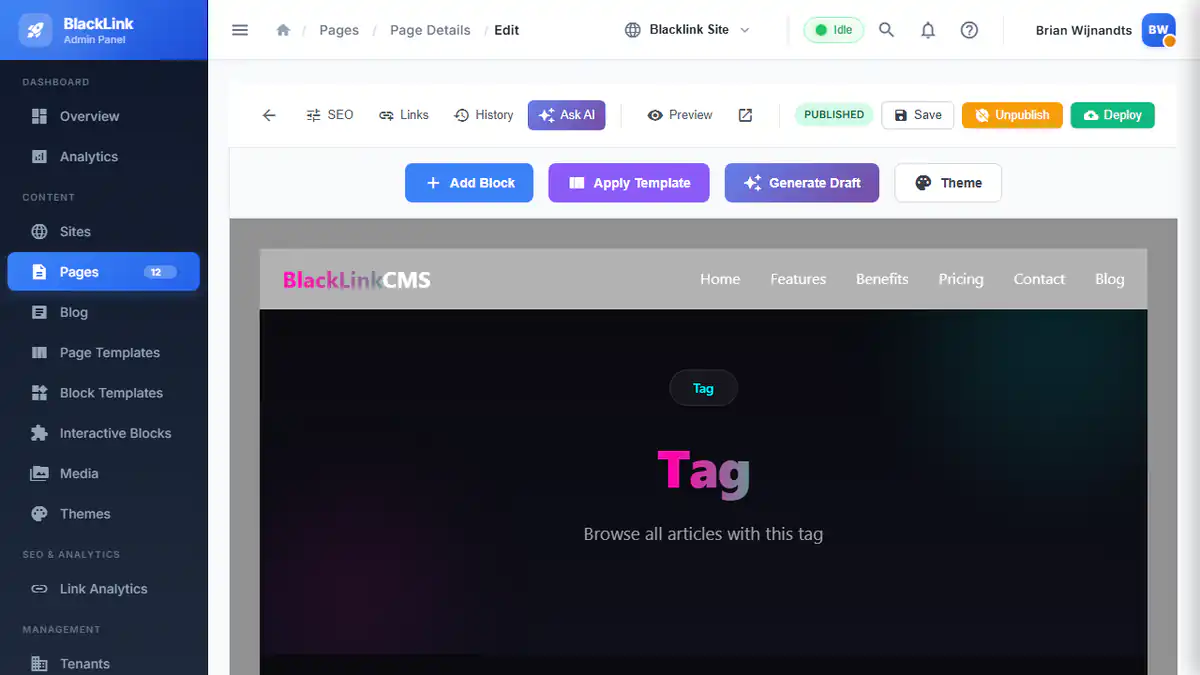
Blacklink's block-based visual editor was built from scratch for static generation. This means:
- Every block renders predictably (no theme conflicts)
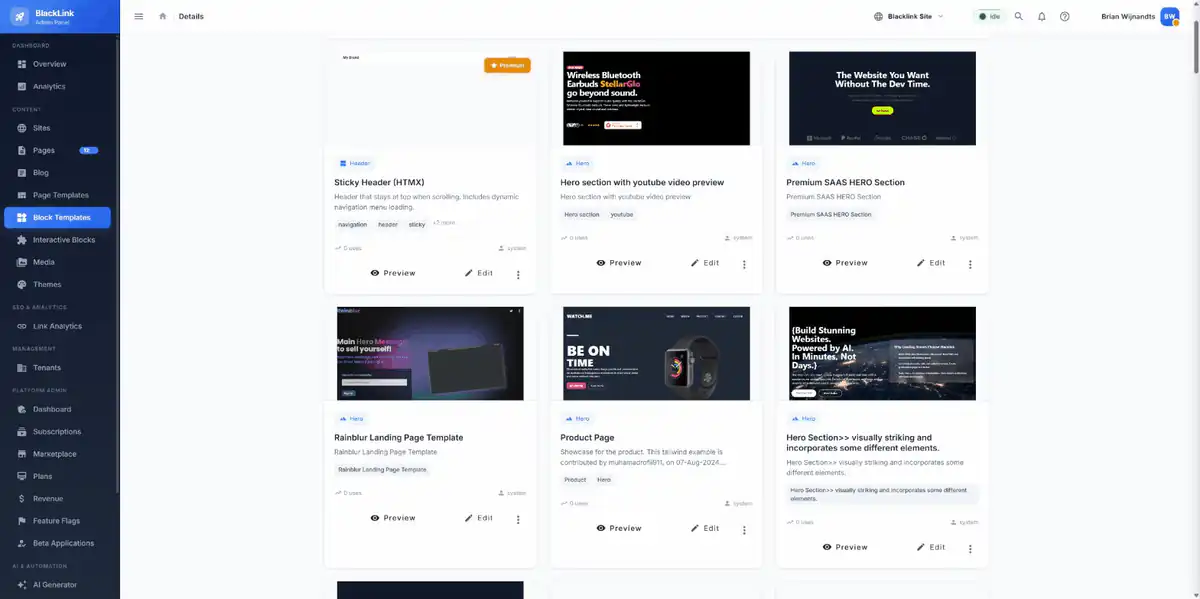
- Reusable components maintain consistency across pages
- The preview shows exactly what deploys
- Interactive elements (forms, dynamic sections) work via HTMX runtime APIs without requiring servers
For agencies managing dozens of client sites, this consistency is invaluable. Template reuse becomes practical reality instead of aspirational goal.
Total Cost of Ownership: The Spreadsheet That Matters
WordPress looks cheap upfront ($0 software cost). But the real expenses emerge:
| Cost Category | WordPress | Blacklink CMS |
|---|---|---|
| Hosting (monthly) | $30-200+ | $0-50 (CDN only) |
| Maintenance/updates | $100-500/month | $0 |
| Security monitoring | $50-200/month | $0 |
| Premium plugins | $50-300/year | Included |
| Annual Cost | $3,000-8,000+ | $300-600 |
For a single site, that's meaningful savings. For agencies managing 50+ client sites, that's the difference between profitability and scaling problems.
When WordPress Still Makes Sense
This isn't anti-WordPress propaganda. WordPress remains practical for:
- Projects requiring extensive custom plugins built in-house
- Sites needing community forum functionality or real-time collaboration
- Complex ecommerce with thousands of SKUs (though even there, headless architectures are winning)
- Legacy clients who mandate WordPress for institutional reasons
But for the majority of websites—corporate sites, agency portfolios, marketing sites, small business websites, SaaS landing pages—static generation is the pragmatic choice.
The Agency Playbook: Multi-Tenant Advantages
Marketing agencies typically manage WordPress through either:
- WordPress Multisite: Complex, fragile, shared infrastructure problems
- Separate WordPress instances: Maintenance nightmare at scale
- Managed WordPress hosting: Expensive (often $100+ per site monthly)
Blacklink CMS has multi-tenant architecture built in. One agency dashboard manages unlimited client sites. Each site is isolated, version-controlled, and deployable independently. This fundamentally changes agency economics—you can serve 10x more clients with the same overhead.
SEO: Where Static Sites Dominate
Google rewards fast, secure sites with better rankings. Static websites optimized for SEO in Blacklink CMS have inherent advantages:
- Perfect Core Web Vitals scores (fast loading, no layout shift, responsive)
- Better crawlability (pure HTML is easier for search engines)
- Built-in structured data generation (JSON-LD for schema markup)
- Automatic sitemap generation and optimization
- Zero performance-related ranking penalties
WordPress sites need extensive optimization to compete. Blacklink sites ship optimized by default.
The Practical Reality: Migration Considerations
"But what about my existing WordPress site?" That's the real question.
Migration strategy depends on your situation:
- Small marketing sites: Rebuild in Blacklink (faster than optimizing WordPress)
- Content-heavy blogs: Blacklink's AI can help rewrite and reorganize content during migration
- Client sites: Start with new client projects in Blacklink, migrate existing clients gradually
- Enterprise sites: Headless CMS + static generation hybrid might be appropriate
The migration conversation shouldn't be "how do we extract everything from WordPress" but "what does the ideal architecture look like, and what's the fastest path to get there."
Making the Decision
Choose WordPress if:
- You need real-time community features or complex plugins
- You have large development teams already trained on WordPress
- Your organization has institutional WordPress mandates
Choose Blacklink CMS if:
- Performance and security are top priorities
- You want to reduce operational overhead
- AI-powered content creation would benefit your workflow
- You manage multiple client sites
- You want lower total cost of ownership
- You need sites that virtually never require maintenance
The platform landscape is shifting. Blacklink CMS features represent how modern web development actually works in 2025—fast, secure, AI-assisted, and operationally sustainable.
WordPress built the web we know. Blacklink CMS is building the web we need.
Next Steps
The best way to understand the difference is hands-on experience. Create your first website in Blacklink CMS in 10 minutes and experience the performance and developer experience firsthand. The free plan includes everything you need to evaluate whether static generation makes sense for your projects.